 barm.dev
Raspberry Pi and Docker, when the processor decides
A Docker image published for amd64 only ends the Raspberry Pi experiment. The real issue was elsewhere: the need outgrew the hardware.
Episode 1/3. Reconstructed afterwards from my Git history, and dated the day it happened.
We left off with a dead SD card and a promise to finally move forward with this Raspberry Pi 3B. I bought a new SD card and put it in the Pi. Before going further, a word on the need, because it drove every decision.
The need
I work on my personal projects in scattered time slots: on the train, from a hotel room on holiday, and at home on two different PCs. Git syncs the code, but not the environment: tools, versions, configuration. Every switch of machine cost time, and files ended up copied all over the place.
So I wanted a single development environment, always in the same place, reachable from any device.
The options
The first idea was to rent one online. I had looked at an AWS offering of that kind: it didn’t really fit my use, and the cost climbed quickly for regular use.
That left hosting it myself. Two options emerged:
- a Linux virtual machine running on the Pi;
- the Pi as a simple gateway, with Apache Guacamole, to open a session from a browser on another machine on the local network, my desktop PC for instance.
Why Guacamole rather than a VPN and a regular RDP connection? Because it needs nothing but a browser. I sometimes use computers where I can’t install a VPN client, or where I’d rather not type my usual credentials: my parents’ or my in-laws’ PC, for instance.
I started with the second option, the lighter one: Guacamole under Docker on the Pi.
On the evening of 16 September 2025, I wrote a first docker-compose.yml: Guacamole, its guacd daemon, which handles the connections, and a MySQL database, which stores users and connections. On start-up, Docker refused.
The blocker wasn’t where I expected it
I expected to hit a power limit: 1 GB of RAM isn’t much. The real blocker was the processor architecture.
The Pi uses an ARM processor, I knew that. What I hadn’t checked is that not every Docker image is published for every processor type. An image ships programs compiled for a specific instruction set: if its manifest offers no arm64 variant, there is nothing to run. That was the case for mysql:8.0-bookworm, published for amd64 only:
no matching manifest for linux/arm64/v8 in the manifest list entries
The decision
For the gateway role alone, workarounds existed: another image, another database, a custom build. But this blocker mostly surfaced a question I should have asked earlier: could the hardware handle what came next?
The gateway alone left the development environment on my desktop PC, which had to stay on and available. The other option, a dedicated virtual machine, wasn’t realistic on the Pi: with 1 GB of RAM and an ARM processor, it could at best be a gateway, never a host. Working around the problem would only have delayed the decision.
Seven days later, on 23 September 2025, I ordered an x86 machine, able to host both the gateway and the development environment.
| Component | Price (CHF) |
|---|---|
| MSI Cubi N ADL S-225BEU, Intel N100 | 109.00 |
| Crucial SO-DIMM DDR4 3200 MHz, 16 GB | 53.90 |
| WD Blue SN5000 NVMe, 1 TB | 59.90 |
| Total | 222.80 |
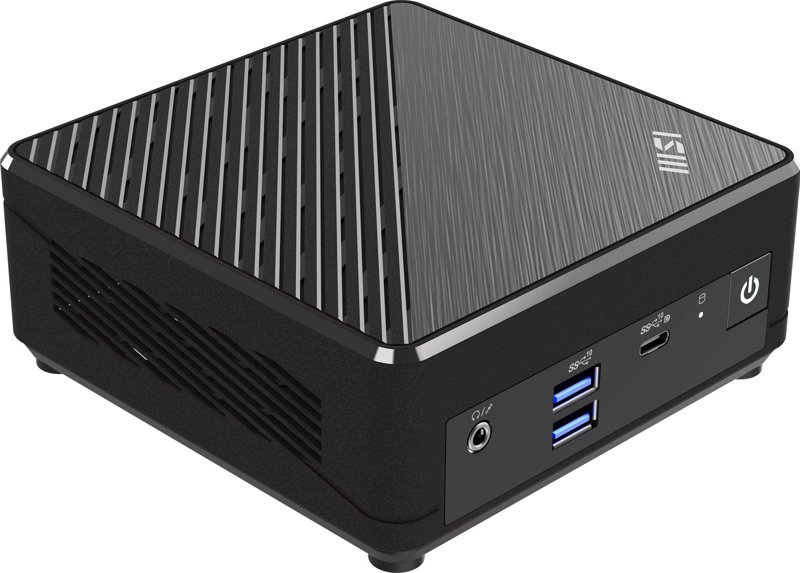
The MSI Cubi N ADL. Image: MSI.
Before and after
| Raspberry Pi 3B | MSI Cubi N100 | |
|---|---|---|
| Processor | 64-bit ARM (Cortex-A53) | x86-64 (Intel N100) |
| Cores | 4 | 4 |
| RAM | 1 GB | 16 GB |
| Storage | microSD card | 1 TB NVMe SSD |
What I took away
- Check which processors an image is published for (
amd64,arm64…) before choosing it. Docker Hub shows it for every tag. - Start from the need, not from the hardware at hand. Reusing a Pi lying around was tempting, but it was never a requirement.
- A technical blocker is sometimes a good signal to revisit the initial choice, rather than a problem to work around.
All that was left was to install everything. It wasn’t that quick.
Next: Proxmox, Docker, Guacamole, and the docker compose waltz